









How to Analyze 100-Page PDFs, Earnings Reports & Research Papers with AI (Without Hallucinated Numbers)
How to Analyze 100-Page PDFs, Earnings Reports & Research Papers with AI (Without Hallucinated Numbers)
Short answer: Never upload a 100-page PDF and ask a single model to "summarize this document." That prompt triggers vague overviews and silent number drift. Instead, split the job into three passes: (1) use a 1M-context model like Gemini 4 Neon or Kimi K3.1 Pro to build a page-anchored index and raw metric table with verbatim quotes, (2) hand the high-stakes sections and footnotes to Claude Sonnet 5.5 or GPT-6.2 Sol for deep reasoning and assumption checks, and (3) run a cheap verification pass on DeepSeek V4.1 Flash or GPT-6 Luna to audit every citation before you paste anything into a memo.
 Minimalist editorial desk scene showing a glowing layered document map flowing into structured analytical tables and verified citations on a dark glass monitor
Most people who get burned by AI document analysis make the same mistake: they treat a 120-page 10-K filing, legal contract, or clinical study like a 3-paragraph email. Even when a model technically accepts the full file—see our deep dive on whether AI can actually read a 200-page PDF and why retrieval chunks miss page 140—a single broad prompt still compresses away the exact caveats, restated baselines, and footnote exceptions that matter.
The fix is not a bigger prompt. It is a three-pass multi-model workflow that separates indexing, reasoning, and auditing.
Why One-Shot PDF Summaries Fail on Real Work
When you drop a long PDF into a chat window and type "Summarize the key takeaways and risks," three predictable failure modes show up:
- Footnote blindness: Executive summaries at the front of a report sound optimistic, while debt covenants, sample exclusions, or accounting changes sit on page 87. One-shot summaries overweight pages 1–10.
- Unit and period mixing: Models routinely blend Q3 figures with nine-month cumulative figures, or mix thousands (
$K) with millions ($M) when summarizing across multiple tables. - Credit waste on follow-up questions: Every time you ask a follow-up in a long thread with a flagship model (like Claude Opus 5.5 or GPT-6.2 Astra), the entire conversation history is re-processed. Ten follow-up questions on a 100-page document can burn 5x–8x more credits than needed.
Which AI Model Handles Each Step Best?
Different models are built for different parts of document work. On a multi-model platform like AIWITH.CHAT, you can upload PDF, Word, or Excel files and switch models mid-workflow instead of paying for three separate $20/month subscriptions.
| Workflow Stage | Best Models on AIWITH.CHAT | Why It Wins Here | Relative Credit Cost |
|---|---|---|---|
| Pass 1: Full-Doc Map & Metric Extraction | Gemini 4 Neon or Kimi K3.1 Pro | Huge context window (1M+ tokens), fast full-file ingestion, strong at preserving section/page structure | Low–Medium |
| Pass 2: Deep Analysis, Logic & Red-Flag Audit | Claude Sonnet 5.5 / Opus 5.5 or GPT-6.2 Sol / Astra | Sharpest reasoning on subtle wording, methodology flaws, legal carve-outs, and financial math | Medium–High |
| Pass 3: Citation Check & Formatting | DeepSeek V4.1 Flash or GPT-6 Luna | Dirt-cheap token cost for checking whether your final draft matches the extracted evidence table | Very Low |
The 3-Step Workflow (With Copy-Paste Prompts)
Step 1: Build a Page-Anchored Evidence Map (Gemini 4 Neon / Kimi K3.1 Pro)
Upload your PDF and forbid the model from writing prose summaries yet. Your only goal in Pass 1 is to turn a 100-page blob into a structured, verifiable map.
You are indexing a long document for a human analyst. Do NOT write a general summary yet.

1. Output a section map listing every major section, its starting page number, and a 1-sentence description of what data it contains.
2. Extract a structured table of the 15 most material quantitative metrics or claims (columns: Metric | Value | Exact Unit & Time Period | Page Number | Verbatim Source Quote <= 20 words).
3. List every footnote, appendix, or methodology limitation that modifies, restates, or qualifies the headline numbers, with exact page numbers.

Strict rule: If a unit, time period, or page number is not explicitly printed in the document, write [NOT STATED] instead of inferring it.
Why this works: Forcing a Verbatim Source Quote and [NOT STATED] fallback stops the model from blending two tables together. If a number looks surprising, you can press Ctrl+F in your PDF viewer for the 10-word quote and verify it in three seconds.
Step 2: Run Targeted Deep Reasoning on High-Stakes Sections (Claude Sonnet 5.5 / GPT-6.2 Sol)
Now that you have the map, do not re-feed all 100 pages into an expensive reasoning model if you only need to interrogate three sections. Paste the Pass 1 evidence table plus the 2–3 critical sections (e.g., MD&A + Debt Footnotes for an earnings report, or Methods + Limitations for a research paper) into Claude Sonnet 5.5 (best for nuanced qualitative/legal/research critique) or GPT-6.2 Sol (always-on thinking mode, best for multi-step financial math and edge cases).
Using ONLY the extracted evidence table and the attached excerpts below:

1. Identify any contradictions between the headline narrative and the footnotes/methodology.
2. Stress-test the 3 most important assumptions. Show the exact arithmetic step by step if numbers are involved.
3. List 5 follow-up questions a skeptical investment committee / peer reviewer would ask that this document fails to answer.

Every claim in your answer must cite the exact page number from the input. Do not introduce outside statistics.
If you are working on an exceptionally high-stakes contract or complex quantitative model, you can escalate this single pass to Claude Opus 5.5 or GPT-6.2 Astra—you only pay flagship rates on the filtered 10% of the document that actually requires flagship intelligence.
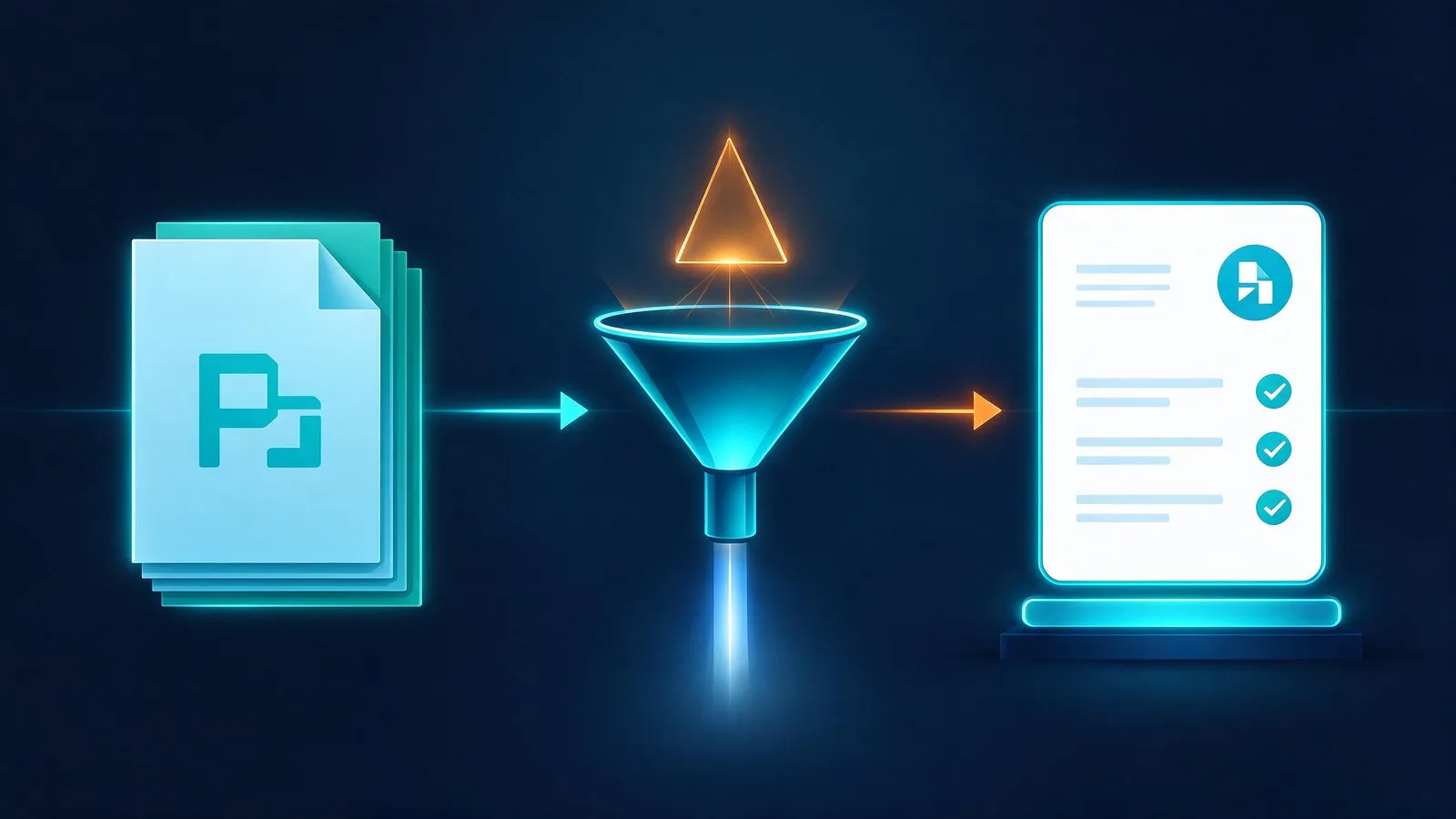 Clean workflow diagram illustrating a 3-stage funnel from a large PDF through fast long-context indexing, targeted deep reasoning, and low-cost citation verification
Step 3: Cheap Consistency Audit & Executive Formatting (DeepSeek V4.1 Flash / GPT-6 Luna)
Before sending your memo to a client, manager, or advisor, open a fresh chat with DeepSeek V4.1 Flash or GPT-6 Luna. Paste your Pass 1 evidence table and your Pass 2 draft, and ask it to act as a ruthless fact-checker:
Compare the Draft Memo against the Ground-Truth Evidence Table below.

Flag:
1. Any number in the Draft Memo that does not match the Evidence Table (including rounding, sign, or unit mismatches like $K vs $M).
2. Any claim that lacks a page citation.
3. Any conclusion that overstates what the source quote actually supports.

Output a short bulleted audit list. If everything matches, output "PASS — 0 discrepancies found."
Using a lightweight model for this final pass costs a tiny fraction of a flagship prompt and catches the classic "dropped a negative sign" or "wrote YoY instead of QoQ" errors that ruin credibility.
Real-World Cost Comparison: Single Flagship vs. 3-Pass Routing
Suppose you analyze 10 long PDFs per month (roughly 80–120 pages each, ~50K–70K input tokens per file) with 6–8 follow-up turns per document:
- Brute-forcing everything on a single $20/mo official plan: You quickly hit rolling 3-hour/5-hour message caps on flagship models, and you still cannot cross-check a Claude reading against Gemini's 1M context or GPT-6.2's thinking mode without buying a second or third $20/mo subscription ($40–$60/mo total).
- Running the 3-pass workflow on one unified workspace: Pass 1 stays on Gemini 4 Neon or Kimi K3.1 Pro, Pass 2 only sends the distilled evidence + key pages to Claude Sonnet 5.5 or GPT-6.2 Sol, and Pass 3 runs on DeepSeek V4.1 Flash or GPT-6 Luna. You cut total credit consumption by 60%–75% while getting higher factual accuracy than any single model alone.
Quick Pre-Flight Checklist Before Uploading Sensitive or Dense PDFs
- Check if the PDF is scanned images: If you cannot highlight text in your PDF viewer, the file is image-based. Use a native multimodal model (Gemini 4 Neon or Gemini 4 Carbon) in Pass 1 so visual layout and tables are read accurately.
- Keep Pass 1 and Pass 2 in separate threads: Starting Pass 2 with the clean evidence table prevents the model from re-reading 80 pages of irrelevant boilerplate on every follow-up turn.
- Never skip the unit column: Explicitly requiring
Exact Unit & Time Periodin Pass 1 eliminates the #1 cause of AI financial-analysis errors.
Try the 3-Pass Workflow in One Place
You do not need three browser tabs and $60/month in subscriptions to run Gemini 4 Neon, Claude Sonnet 5.5, GPT-6.2 Sol, Kimi K3.1 Pro, and DeepSeek V4.1 Flash side by side. On AIWITH.CHAT, you can upload PDF, Word, and Excel files directly, switch between all frontier models in one account, and start free—with Standard plans from $9.9/month (3.2M credits) and Premium at $19.9/month (7.2M credits) via Stripe (Visa, Mastercard, Alipay, and WeChat Pay supported).
Ready to test it on your next report? Open Gemini 4 Neon on AIWITH.CHAT for Pass 1, then cross-check your findings in Claude Sonnet 5.5 or GPT-6.2 Sol.